This custom trigger action performs a log scan using keyword(s) passed as argument(s), the logs found will be written to a separate file.
Downloads
Source code and build instructions
How to scan a log on keywords using GetLogs action
Let me now show you how to implement that.
1. Create a Trigger to find logs using Keywords
Login into admin console of JSCAPE MFT Server > Triggers and Click Add to create a Trigger
Give the trigger aNameand then select theCurrent Timeevent type from the drop-down list.
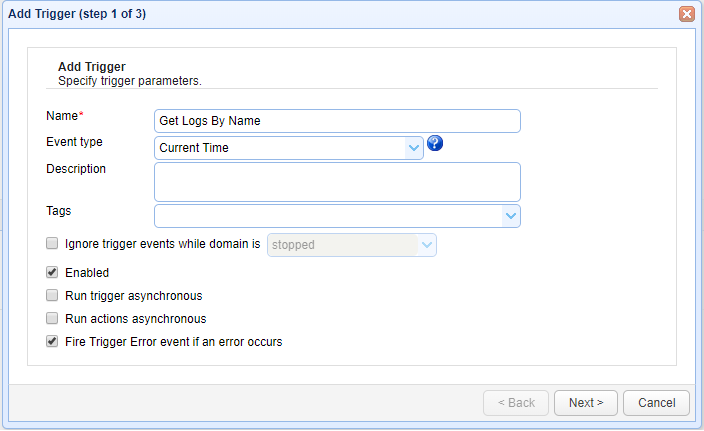
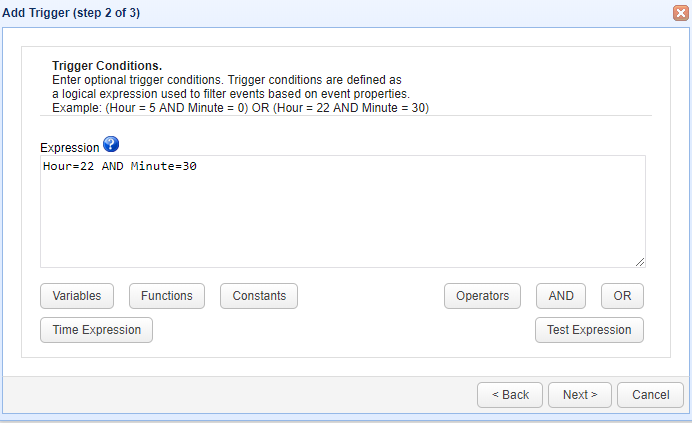
ClickNextto Step 2 where a condition can be set to execute the trigger.
Below screen shows a condition that the trigger should execute at 22 Hours 30 minute . Set the condition asHour =22 AND Minute 30(Directory Scan will be performed every day at 22 hours 30 minutes )
Once the condition is set ClickNextto proceed
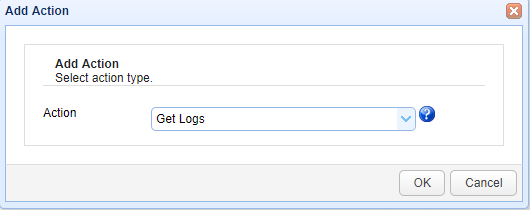
The step 3 asks to add an action, Add the action “Get Logs” from drop down list.If the action not found read the build instructions (Source code and build instructions) .
Click OK to proceed
The Parameters for the action “Get Logs” are;
- File
- Exceptions
As the name indicates, File is the path where the logs which are scanned will be written to a different file and Exceptions indicate the keywords separated by comma.
For example as below;
ConnectionException.OutOfMemeoryError
ClickOK to save the settings

That’s it. Now you know how to create a trigger to scan the logs based on keyword(s)