
Category: Managed File Transfer
-

Pricing predictability: Better forecast your MFT spend
Learn more from the experts at JSCAPE by Redwood
Learn More
-

How to develop automated file transfer workflows: A step-by-step guide for IT teams
Learn more from the experts at JSCAPE by Redwood
Learn More
-

10 hidden costs of inadequate file transfer security
Learn more from the experts at JSCAPE by Redwood
Learn More
-

File transfer data breach risk: real or overstated?
Learn more from the experts at JSCAPE by Redwood
Learn More
-
How to set up a HTTPS file transfer
Learn more from the experts at JSCAPE by Redwood
Learn More
-

Why is an enterprise file transfer solution necessary?
Learn more from the experts at JSCAPE by Redwood
Learn More
-

What is managed file transfer (MFT)?
Managed file transfer is a category of solutions that enable secure, centrally managed, regulatory-compliant, automated, reliable and efficient data movement. An MFT…
Learn More
-

What is the fastest way to transfer large files over the internet?
When your business processes involve large files that need to cross the internet in the fastest way possible, look beyond traditional methods…
Learn More
-

What is MFTaaS? an introduction to managed file transfer SaaS
Managed file transfer as a service (MFTaaS) is revolutionizing file transfer workflows by improving efficiency and security while reducing cost and maintenance.…
Learn More
-

Unlock your potential: JSCAPE courses now available in redwood university!
Have you heard the exciting news!? Redwood University recently expanded its training resources for JSCAPE by Redwood customers. Whether you’re a seasoned…
Learn More
-

Best file transfer software for mac and PC users
The file transfer software options available today aren’t all created equal. Evaluating solutions based on your organization’s needs goes beyond splitting hairs…
Learn More
-

Data streaming vs. store-and-forward : ensuring secure data transfers | JSCAPE by redwood
Secure data transfers are pivotal for maintaining a competitive advantage in our swiftly evolving digital landscape. As cybersecurity challenges rise and the…
Learn More
-

SFTP vs. MFT: Benefits of an MFT solution
When you first start identifying the right file transfer solution for your organization, you’ll encounter these two acronyms: MFT and SFTP. SFTP…
Learn More
-

Binary management service patch (CVE-2023-4528) for JSCAPE MFT server
In response to security incidents which have impacted other managed file transfer (MFT) providers over the past year, Redwood has significantly increased…
Learn More
-

Finding secure MFT: Considerations for enterprise buyers
Managed file transfer (MFT) is an essential component of secure data exchange for businesses and enterprise organizations. Whether you are transferring sensitive…
Learn More
-

How To Automate An SFTP File Transfer
Automated secure file transfer protocol (SFTP) file transfers are traditionally done through scripts, but there’s a much easier way. In this tutorial,…
Learn More
-

How to set up automated AS2 file transfers
Overview In an earlier quickstart guide to setting up an AS2 server, we featured a manual method for sending EDI messages. Because…
Learn More
-

How to setup an AS2 server with JSCAPE: a QuickStart guide
In this tutorial, you’ll learn the basic steps for setting up an Applicability Statement 2 (AS2) server. While the final outcome will…
Learn More
-

Two ways to generate an SFTP private key
One of the major security features of SSH FTP is public key authentication. This authentication method allows JSCAPE MFT Server to verify…
Learn More
-

Monitoring a remote SFTP server for newly added files
Most users of JSCAPE MFT Server are already familiar with directory monitors. You often use it to monitor a directory for newly…
Learn More
-

How to copy multiple files from s3 to azure data lake storage
In this tutorial, I’m going to show you how to copy multiple files automatically from AWS S3 to Azure Data Lake Storage…
Learn More
-

How to push files from local to azure data lake based on an event
Azure Data Lake is an excellent option for storing massive amounts of unstructured, semi-structured, and structured data in the cloud. One of…
Learn More
-

How to automatically transfer files from SFTP to azure blob storage via trading partner
In a previous post, we taught you how to automatically transfer files from SFTP to Azure Blob Storage using a JSCAPE MFT…
Learn More
-

How to automatically transfer files from SFTP to azure blob storage via network storage
Let’s say you have trading partners who can only transfer files to you via SFTP. Incidentally, you also happen to have an…
Learn More
-

Three ways to generate OpenPGP keys
JSCAPE MFT Server makes it easy to strengthen secure file transfers with OpenPGP encryption and decryption. But before you can protect your…
Learn More
-

How to use amazon s3 as storage for your MFT server
Overview A couple of weeks ago, we compared the advantages and disadvantages of using Amazon S3 and local storage as file storage…
Learn More
-

Customising the web user interface of your HTTP/S file transfer service
When you first launch your web file transfer service on JSCAPE MFT Server, you’ll notice that the web user interface has the…
Learn More
-

That free FTP server might cost more than you think
As you scout for the most cost-effective way of transmitting files with your business units and trading partners, among the many file…
Learn More
-

How to enable anonymous file uploads on your web file transfer server
Not everyone using your web file transfer server needs to have a user account. There can be instances when it’s perfectly fine…
Learn More
-

Securing trading partner file transfers w/ auto PGP encryption & FTPS
Overview PGP encryption can add another layer of protection to a trading partner file transfer already secured by FTPS. It can also…
Learn More
-

How to set up SSL client authentication
Overview People who use SSL/TLS to secure their online transactions/file transfers are mostly only familiar with two of its security functions: 1.…
Learn More
-

How to install an SFTP server on windows
Because Microsoft Windows doesn’t have a secure file transfer protocol server built in, we’ve put together a simple and easy-to-follow tutorial on…
Learn More
-

How to sync a linux directory with an amazon s3 bucket
In one of our previous posts, we taught you how to sync a Windows folder with an AWS S3 bucket. This time,…
Learn More
-

How to securely transfer large files over the internet
Businesses that deal with large files such as high-definition videos, 3D CAD models, and so on, sometimes need to transfer these files…
Learn More
-

How to transfer files between cloud storage services
With cloud storage space now becoming the norm, it’s common for businesses to transfer files between cloud storage services (e.g. from Amazon…
Learn More
-
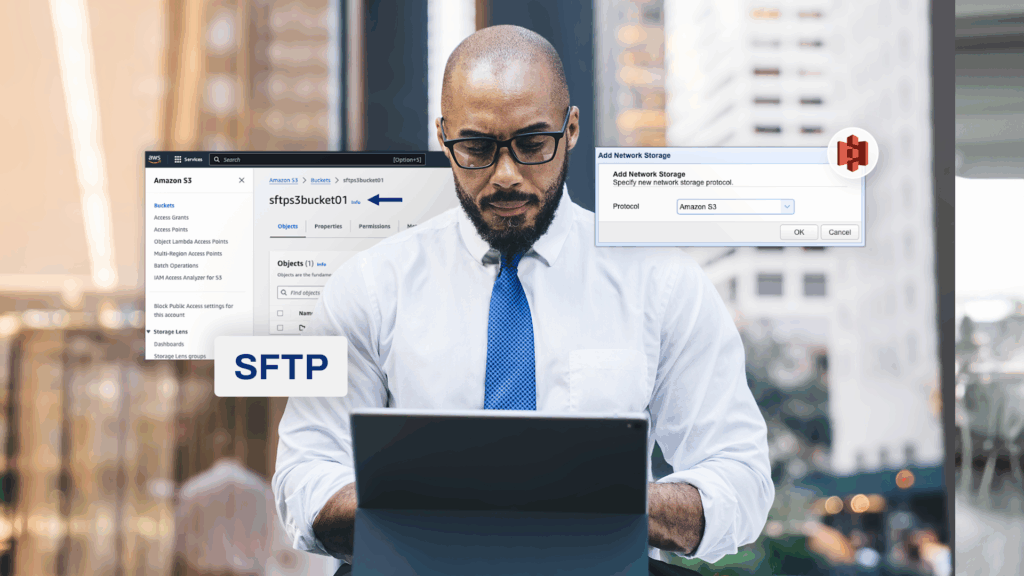
How to configure an SFTP-to-S3 file transfer
Many businesses use Secure File Transfer Protocol (SFTP) to transfer data between business units or to trading partners. With the growing adoption…
Learn More
-

Install A Linux SFTP Server Via Command Line And Configure Via Web UI
Overview Let’s say you want to install an SSH FTP server (SFTP) on a Linux machine devoid of a GUI. However, after…
Learn More
-

Use JSCAPE MFT server with Multi-Cloud storage solutions
When business processes involve multiple cloud storage solutions, things can get quite tricky for IT administrators. In this post, we discuss some…
Learn More
-
How to copy files from azure blob storage to AWS s3
There are several possible reasons why you might want to copy files from Azure Blob Storage to AWS S3 (or vise versa).…
Learn More
-

How to download multiple files from azure blob storage
All this time, you’ve been uploading loads upon loads of files onto your Azure Blob Storage container. But now, you have this…
Learn More
-

How to copy files to azure blob storage on a predefined schedule
For today’s tutorial, we’re going to show you how to configure JSCAPE MFT Server so that it will copy files from a…
Learn More
-
Upload files to azure blob storage with FTP/S
A lot of automated business processes out there use FTP or FTPS to upload data to a server. What if most of…
Learn More
-

How to import & export user accounts
Last time, we taught you how to copy users from one JSCAPE MFT Server instance to another using the Promote feature. That’s…
Learn More
-

How to copy users from one MFT server to another
In JSCAPE MFT Server version 12.1 and higher, server administrators can already take advantage of easier ways of copying user accounts from…
Learn More
-

Using AES-256 to encrypt files you upload to your s3 trading partner
Files you upload to an Amazon S3 trading partner through JSCAPE MFT Server are normally stored in plaintext. If you want to…
Learn More
-

Sync windows folder with AWS s3 bucket
In previous posts, we taught you how to set up an Agent service and trading partner. We also taught you how to…
Learn More
-

Using AWS KMS to encrypt files you upload to your s3 trading partner
Files you upload to an Amazon S3 trading partner through JSCAPE MFT Server are normally stored in plaintext. If you want to…
Learn More
-

Install MFT Server agents on Linux hosts
Last time, we taught you how to install a JSCAPE MFT Server Agent on a remote Windows host with no file transfer…
Learn More
-

How to install MFT server agents on windows
Time to continue our tutorial on using JSCAPE MFT Server Agents. If you’ve been following our recent blog posts, you know that…
Learn More
-

How to set up an agent service & trading partner
As discussed in our previous post, JSCAPE MFT Server now gives you the capability to perform automated data transfers with hosts with…
Learn More
Browse by category
-
(23)
-
(43)
-
(7)
-
(47)
-
(57)
-
(40)
-
(19)
-
(622)
-
(3)
-
(389)
-
(106)
-
(6)
-
(19)
-
(199)
-
(22)
-
(86)